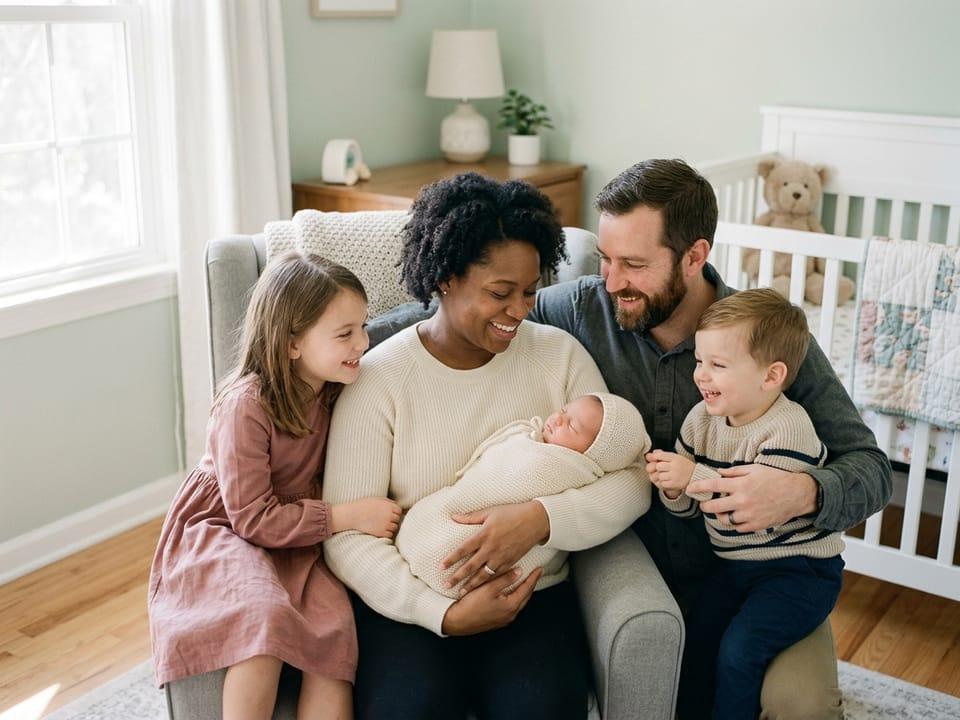
A good birth announcement photo is simple: your baby on a plain blanket, a sibling's hand, the family squeezed onto the sofa, taken at home with a phone in the first week or two. The harder decision is what travels with the photo. A printed card to people you chose can carry more than a public post, and a few things, like your home address and the location hidden in the photo file, belong in neither.
Decide where the photo is going before you shoot
Three destinations need slightly different photos. A printed card needs space for words, so frame a little wider than feels natural and leave calm background on one side or above. A social post is usually cropped square or tall, so keep your baby away from the edges. A family group chat takes anything. If you're not sure which you'll use, take each setup twice, once horizontal and once vertical.
Nothing says the card has to go out in the first week. A newborn's face changes quickly, though, so take the photos early even if you send them later. Light is the other constraint. In a Canadian January or a New Zealand July the bright part of the day is short, so plan the shoot around the middle of the day by a window rather than in the evening under lamps. If relatives live abroad, international post is slow; a digital version can go first.
Photo ideas that work at home, safely
The safest setup is also the most useful one. Lay a plain blanket on the floor, place your baby on their back, and shoot from above while you kneel beside them. Nothing can roll off the floor, and the plain background leaves room for text. Avoid propping a baby in a basket, on a raised surface or on a pillow for the sake of a pose; many poses that look effortless in studio photos are composites made with a hand supporting the baby, and newborn photo safety at home explains which ones to leave alone.
Close details work well on cards: a hand around a parent's finger, feet against a parent's palm, the hat or blanket a relative made. For a sibling photo, sit the older child on the floor or deep in the sofa with an adult right beside them, and put the baby in their lap with the adult's hand underneath. If you add a handwritten card or letter board next to the baby, keep the wording to a first name or a simple greeting, for reasons below. For a photo with everyone in it, a phone on a stand and the self-timer do the job, and our self-timer guide covers the setup.
When you're done, put your baby back down to sleep the way the American Academy of Pediatrics advises: on their back, on a firm, flat surface, with no soft objects or loose bedding. The blanket you used for the photo stays out of the crib or cot.
Keep these details off a public post
The National Center for Missing & Exploited Children (NCMEC), a US nonprofit, publishes a tip sheet, aimed at preventing infant abduction, for hospitals to share with expectant parents. It asks parents to consider the risk of having a birth announcement published in a newspaper or online, and says announcements should never include the family's home address and should be limited to the parents' surnames. It advises caution about posting photographs of an infant online and limiting access to people you know personally and trust. It also recommends against outdoor announcements such as signs, balloons, large floral wreaths and lawn ornaments, because they draw attention to a new baby in the home.
Turned into a practical rule for a public post: share the photo and the news, but keep the identifying details out. That means no address, no full name together with the exact date of birth, and no hospital name. Look closely at the frame, too. A hospital wristband or a bassinet or cot card can carry your baby's name, date of birth and the hospital's details, so crop it out or take the photo after it's off. Bath photos and diaper shots stay off public pages. Canada's Office of the Privacy Commissioner warns parents that the bathing photos they're tempted to post can be copied, shared and stay online for good, and points out that once something is posted you no longer control it: it can be copied, saved and forwarded, password-protected pages aren't totally secure, and deleting a post doesn't mean it's gone.
Take the location out of the file and the street out of the frame
Phone photos can carry the place they were taken. On an iPhone, Apple's personal safety guide explains three controls. When sharing, tap Options in the share sheet and switch off Location. To remove it from a saved photo, tap More, then Adjust Info, then Adjust Location and No Location. To stop the camera recording it at all, go to Settings, Privacy & Security, Location Services, Camera, and choose Never.
On Android with Google Photos, the help page notes that a location added automatically by your camera can't be removed in Google Photos; you change that in your camera app's settings instead. Shared albums have their own switch for sharing photo locations. Google also makes the point that matters most: even with locations hidden, people can guess where a photo was taken from landmarks in it. The view from the nursery window, the house number on the porch and the street behind the stroller can give away as much as GPS data, so frame them out.
A card to people you know can say more
A printed card that goes to a list you chose can reasonably carry the full name, date, weight and the story of the day, because you know every person who receives it. The weak point is that proud relatives photograph cards and post them. A short line in the family chat, asking people not to share the photo publicly or tag a location, saves an awkward conversation later. A private shared album for grandparents gives them more photos than any card would, without anything going public.
If a grandparent overseas wants to be in the family announcement photo, pokesta can create a commemorative photo with AI from each person's own phone pictures ($1 per photo, first one free). Check that the face really looks like your baby before it goes on a card, and with any service, read how uploaded photos are handled before you upload a newborn's picture.
Share the face, keep the paperwork
The face is the news, and it's what people want to see. The name, date, place and address are paperwork, and the people who need them already have them or will get them from you directly. Other families' newborn photos are under #us-newborn, and if a photo needs a little color correction before it goes to print, see how to edit newborn photos on your phone.
References