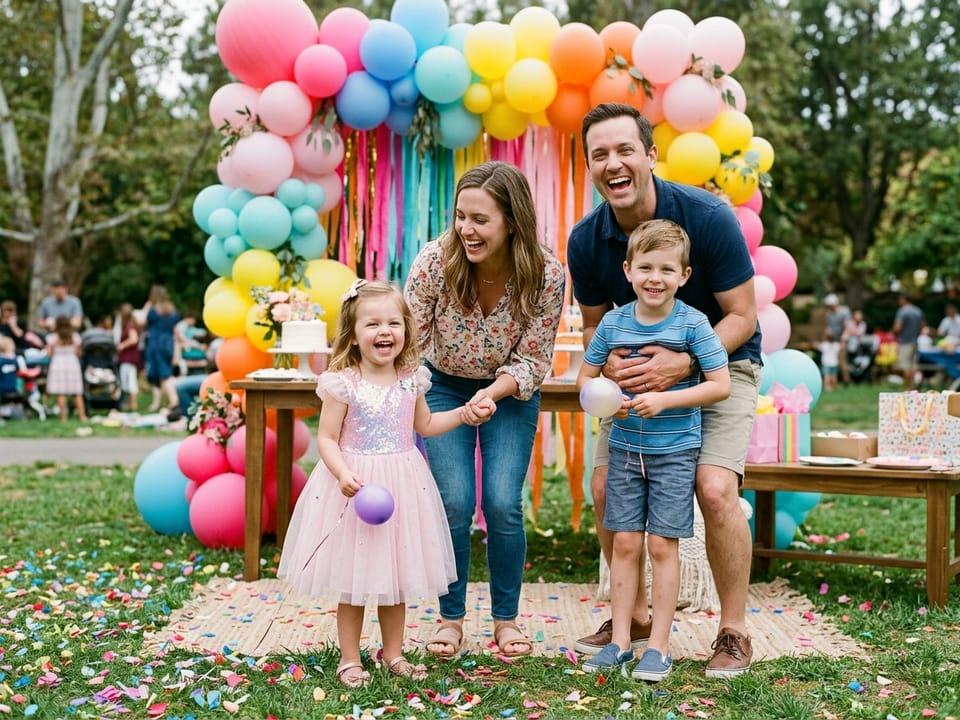
An AI tool can take an ordinary phone picture of your one-year-old and hand back a birthday portrait: a frosted cake, a paper crown, a balloon garland, a backdrop in whatever color you like, and not a crumb on the floor. It handles the props well. It handles the details that make your child recognizable less reliably, from the number of teeth to the letters on a banner. Treat the result as one styled portrait to sit beside the real photos from the day, and decide where it will be shared before you upload anything.
The cake and the crown are the easy part
Setting is what generators do best. A tiered cake, gold candles, a garland in two shades of sage: none of it has to be bought, baked or scrubbed off the floor, and nobody needs to check the frosting against an allergy list. The crown your child pulls off within seconds in real life stays put. The weather stops mattering too. A January birthday in Canada or the northern US can still have a garden party, and a family in New Zealand, where January is midsummer, can ask for a cozy indoor scene instead.
What AI can't give you is the smash itself. The point of a cake smash photo is the reaction: the suspicious first poke, the startled face, the fistful that ends up everywhere except the mouth. A generated "cake smash" shows a cake near your child, wearing an expression the software picked. If it's the mess you want to avoid but you'd still like something real, our guide to cake smash alternatives covers fruit, a single cupcake and other low-mess options.
Start from a photo taken this month
A one-year-old's face changes fast. A photo from nine months will give you a younger-looking child, with cheeks, hair and proportions off by just enough that relatives notice. Use something recent, taken in daylight, with the whole face visible, no beauty filter, and the phone held at your child's eye level. Sitting photos work better than lying-down ones at this age, because sitting or standing is how your child will appear in a birthday scene.
Party photos are tempting because everyone is dressed up, but they usually include other people's children. Crop them out or choose another picture; another family's child shouldn't go into an app without their parents agreeing. Phone photos can also carry the location where they were taken, and a plain copy keeps it, so send a copy with the location data removed.
Count the teeth, the candles and the letters
Put the generated portrait next to the original at the same size and check the things a birthday scene tends to get wrong.
Start with teeth. According to the NHS, most babies start teething at around six months, though some start after 12 months, and the first molars usually come through at around a year. A one-year-old may have a few front teeth or none at all. A generator that gives your child a full row of neat white teeth has drawn a different child, however sweet the smile.
Then the hands, which at this age are small, dimpled and usually gripping something. Count the fingers on any hand holding a fork or touching the cake. Check that the crown sits on the head rather than hovering above it, and that the cake has one candle or a number one, not five.
Lettering needs a slow read. A banner spelling "ONE," a name piped on the cake, a "Happy 1st Birthday" sign: generators have long had trouble with text. When OpenAI's researchers described DALL-E 2 in 2022, they wrote that it struggled to produce coherent text and that the system might not precisely encode spelling. Tools have improved a lot since then, but a misspelled name on a cake is exactly the kind of mistake you spot only after the print arrives. If the lettering is wrong, regenerate without text and add the words yourself in a photo editor.
Last, hold the portrait up beside your child rather than beside the photo. Look hard at the hair, which at one may be no more than a few wisps; curls, extra length or a neat side parting your child doesn't have will change the whole face. If a relative would have to ask who that is, start again from a different source photo.
Decide who will see it before you upload
Read the terms before you hand over a child's face: whether uploads are used to train the company's models, how long they're kept, whether results show up in a public gallery, and how to delete everything. Our guide to AI newborn portraits goes through those questions in more detail.
Regulators are watching the same tools. In February 2026, Canada's Privacy Commissioner joined 60 other data protection and privacy authorities, among them the regulators in the UK, Ireland, New Zealand and the Philippines, in a joint statement on AI-generated imagery. It calls on the organizations behind these systems to put robust safeguards in place, particularly where children are depicted, to give people effective and accessible ways to request the removal of harmful content, and to give children, parents and educators clear, age-appropriate information. That gives you a simple test. If you can't find out how to delete your uploads and results, don't upload.
Then think about where the portrait will end up. In July 2026 the UK's National Crime Agency and the Internet Watch Foundation advised parents not to put photos of their children on public display online, suggesting private accounts or sharing with a trusted group instead. A birthday portrait made for a grandparent's fridge can go to the family chat or onto a printed card without ever being public.
Weigh it against a studio cake smash
AI portraits cost little per image. On pokesta, for example, each family member's own phone photos can become a birthday portrait, such as a one-year-old in a tutu and crown beside a frosted cake, for $1 per photo with the first one free. Other apps charge per image or by subscription.
A studio cake smash costs more because you're paying for a set, a cake, often a splash bath, the photographer's time and a number of edited files. Prices come in dollars, pounds, euros, New Zealand dollars or pesos depending on where you live, and they vary by region, season and package. Our first birthday photo shoot budget guide lines up what different packages include. A photographer is worth it when you want the real smash recorded in good light, when you want the whole family in one frame including the parent who always holds the phone, or when you want prints made to last.
AI suits other situations: the birthday has passed without a portrait, the party photos all came out dark or blurred, a grandparent abroad wants something to frame, or you'd simply rather skip the frosting this year.
Keep the real photo next to the styled one
The two work best as a pair. A styled portrait makes a tidy front for a thank-you card or the cover of a first-year album, and the real photos belong inside: the blurry candle shot, the face covered in banana, the nap on a grandparent's chest. If the portrait goes in a frame, put a real photo from the same week beside it. Keep the full-size originals backed up before you generate anything, and label the generated file as AI so nobody mistakes it for the real day twenty years from now. The AI portrait shows the day you pictured. The real photo shows what your child actually did, and that's the one they'll ask about.
To see how other families marked the day, browse the first birthday posts.
References