Whether your family can take photos on your own phone at a photo studio is decided studio by studio, and often room by room within the same studio. According to their official sites as of October 2026, Studio Alice, a major children's photo studio chain in Japan, began allowing phone photos of the shoot inside its studios in March 2026, while Studio Caratt allows phones and home video cameras but turns away other cameras such as DSLRs. The basic approach: confirm which moments you can shoot when you book, stand where you won't get in the photographer's way, and capture what the professional won't.
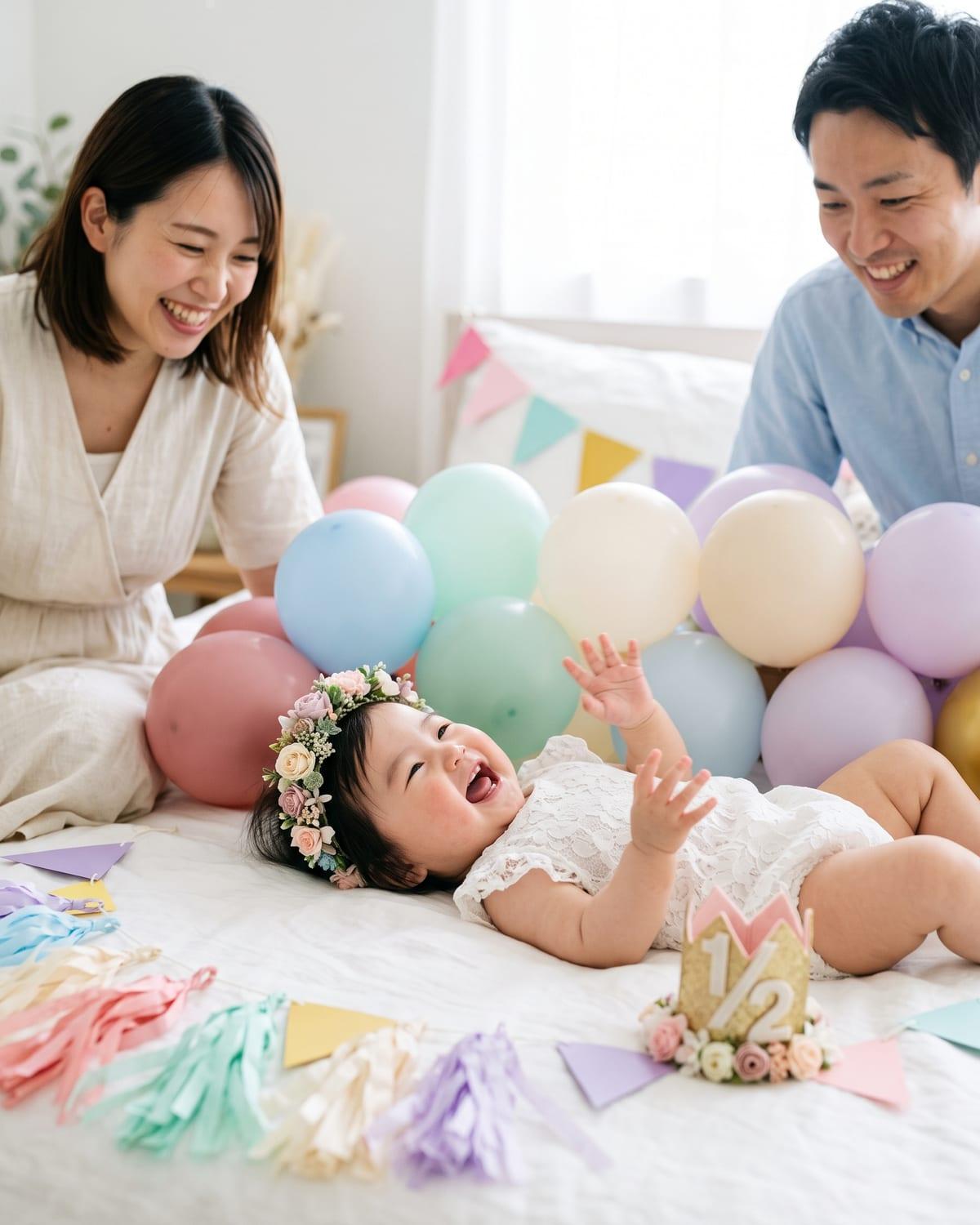
This question often comes up for the half birthday, a six-month celebration many families in Japan mark with a studio portrait, especially when parents want to buy fewer prints.
Phones are often fine, but there are limits on where and with what
Reading the big studios' policies, permission to use a phone is not unusual. What differs is where you can shoot and with what equipment.
Studio Alice's "Sumaho de Snap" service originally let families photograph their child on their phones while waiting for the session. From March 2, 2026, it was extended to cover the shoot inside the studio itself. The conditions: no photos in the styling room where children are dressed, no use of the studio's props, and no tripods. Studio Alice also warns that being in the studio can be risky, for example through contact with staff, and states that it will ask families to stop if their photography interferes with the service.
Studio Caratt's FAQ says families can take photos and videos inside the studio on mobile phones, smartphones and home video cameras. Digital cameras, GoPros and DSLRs are not allowed, and some areas of a store may be off-limits. For camera enthusiasts, there's a paid option to bring your own equipment, which the company's blog describes as about five minutes of free shooting after the studio session.
Life Studio, which sells flat-rate packages that include the digital files, says on its baby plan page that you're welcome to use your own camera while your child is being photographed. So "phones allowed" can mean only during waiting time, or during the shoot too, and cameras may or may not be included.
Ask about specific moments when you book
Asking a staff member mid-session interrupts the flow. Put your questions in the booking call or the notes field of the booking form:
- Can family members take photos and video on their phones during the shoot?
- Are there any rooms or moments where photos aren't allowed, such as the changing area?
- Can we use a camera other than a phone, or a tripod?
- Are there rules about posting our photos on social media?
Rules can vary between branches of the same chain depending on the size of the store, so ask the branch you'll visit. Keep a note of the answers. How you can use the studio's own photos, such as reprinting or posting them, is covered in photo studio pictures and copyright.
You don't need the photographer's shot
Stand a little way off and to one side, rather than right behind or beside the photographer. If you crowd in to get the same front-on angle, you block the staff member who's entertaining your baby, and your baby's gaze wanders between your phone and the camera. That close-in position is also where the "contact with staff" Studio Alice warns about is most likely to happen.
Besides, the studio's front-on shot depends on lighting and a backdrop set up for the professional's camera. The same angle from your phone won't light the same way. Leave that shot to the studio and use your phone for something else; it also makes deciding which prints to buy easier. Don't photograph the studio's pictures on the selection screen, either. That's copying the studio's work.
Turn your phone's flash off, even if the studio's rules don't mention it. A sudden flash can startle a baby, and a well-lit studio doesn't need it. For lens and exposure settings, see phone camera settings for photographing babies.
Shoot the moments a professional won't
Once you know what's allowed, aim for what won't be in the studio's photos.
One is the scene of the shoot itself. Step back and fit in your baby under the lights, the staff member shaking a toy, and the backs of family members calling out. Years later, these are the pictures that bring back what the day felt like.
Another is the in-between faces: coming back from an outfit change, settling down after a cry in someone's arms, an older sibling peering into the baby's face. If you want shots mid-change, check first that photos are allowed where outfits are changed. Studio Alice, for one, doesn't allow them in the styling room.
Video helps too. A staff member's coaxing voice and your baby's laugh don't survive in a photo. Take a few seconds at a time so the clips are easy to watch later.
Studio, on-location photographer or DIY: compare by how much you'll buy
If the real goal is to buy fewer prints, compare the other ways to get photos as well.
At a studio, you typically pay a session fee plus whatever prints and files you choose. With your own phone shots in hand, it's easier to limit purchases to one print to display and a family photo. The professional's front-on smile, coaxed out under good lighting, and the whole family together are what a studio is worth paying for. At a flat-rate studio like Life Studio, where 33,000 yen on weekdays or 38,500 yen on weekends and holidays (tax included) includes 85 digital images, there's nothing to agonize over.
On-location photographers charge by time and include the files. fotowa charges 24,200 yen on weekdays and 29,700 yen on weekends and holidays (tax included) for about 60 minutes, with 75 or more digital photos, and doesn't charge to change the date if a child falls ill or the weather turns. Being at home also tends to keep a baby calmer.
Doing it yourself costs nothing. You choose the good-mood moments and can try again tomorrow if there are tears, but you set up the light and backdrop yourselves, and whoever shoots isn't in the picture. All prices were checked on the official sites in October 2026 and vary by season, branch and plan, so confirm before booking.
Let phone photos fill in around the studio's shot
Your phone photos from studio day aren't a substitute for the professional's work. They're a record of how the day went. Pick the main shot from the studio and let your own photos fill in the rest, and you won't feel pushed to buy more prints than you want.
Your phone photos can do more, too. pokesta creates a half-birthday portrait in costume with AI from photos of each family member, for $1 per photo, without leaving home. It's an image made by AI, so treat it as something separate from what was photographed on the day. The first photo is free; start with a picture of your baby and create a keepsake photo.
References